AI diagnostic partner for UK technicians
Find the fault faster. Fit the right part first time.
Show Gremlin the car, the codes and the symptom. It suggests likely causes ranked by confidence, the tests to prove it, the specs to look up, and a job card note. Built for the bay: big buttons, voice control, works with gloves on.
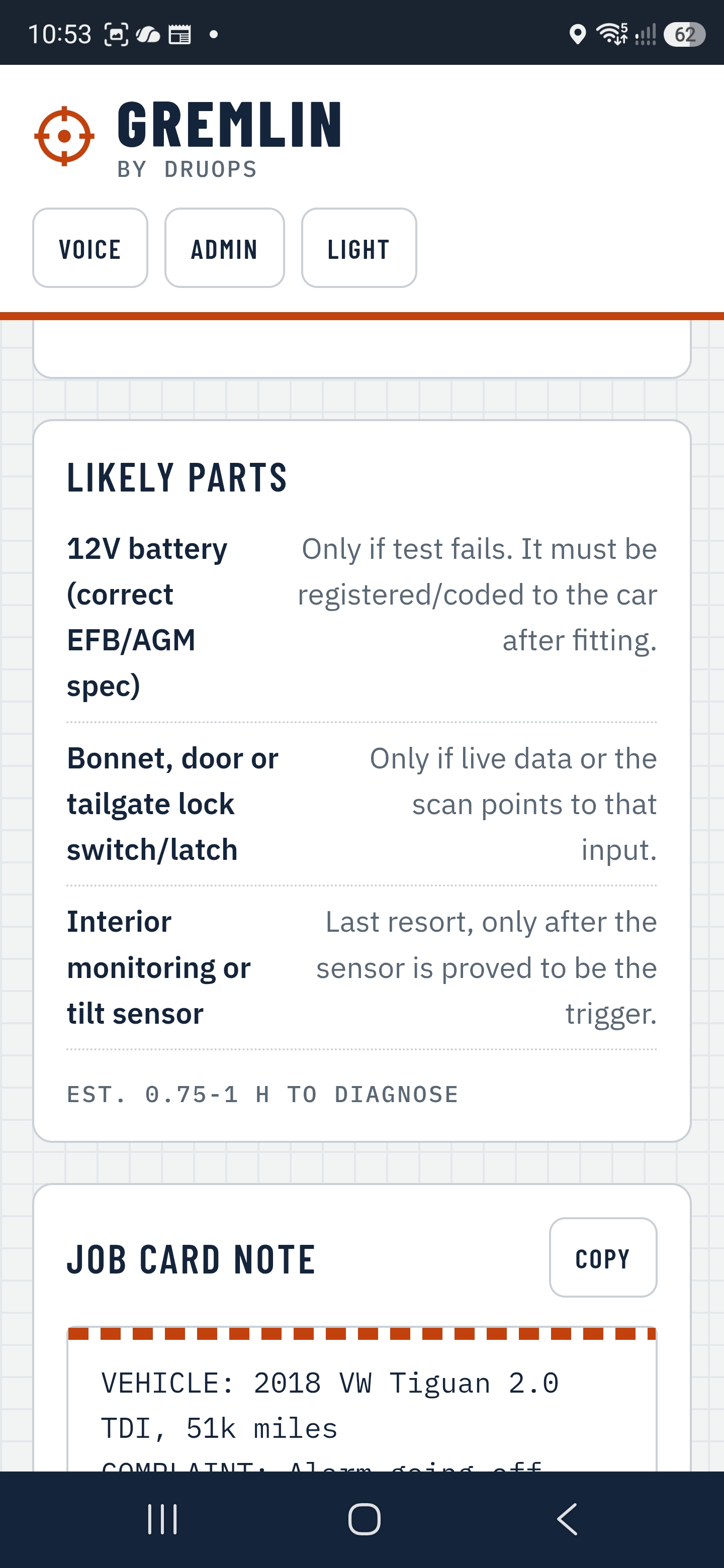
Real screen · Gremlin Hunter
How it works
From complaint to confirmed fix
Show it
Enter the reg, snap the part and the scan tool screen, and say what the customer reported.
Get the shortlist
Likely causes ranked with a confidence level, plus safety warnings and the parts you might need.
Prove it
Step-by-step tests with tools, time, specs and pass/fail. Record results and Gremlin narrows it down.
Log the fix
Tell Gremlin what actually fixed it. Every confirmed fix makes the next diagnosis sharper.
Honest by design
It shows its working. You make the call.
Gremlin gives suggestions only and never pretends to be certain. Every cause has a confidence level, every test has pass/fail criteria, and it tells you when to check manufacturer data. You confirm everything with your own tests.
“Built by someone who's spent 20 years in UK garages, chains and parts counters, for the tech in the bay, not the owner in the office.”
Drew · Founder, DruOps · KentCauses ranked Confident, Likely or Check workshop data.
EV and hybrid jobs need a high-voltage warning confirmed before tests open. Airbag, brake, steering and fuel steps need a confirm before the guide opens.
Use it alongside your scan tool, wiring diagrams and parts supplier. It doesn't replace them.
Bought by the tech, like any tool off the van. Nothing for the garage to install.
Now open · 5 days free
Try it on your next job
Sign up with your email, use Gremlin Hunter free for 5 days on real jobs, and only pay if you keep it. Android with Chrome works best, including voice control.
- 5 days free. We take card details at sign-up but charge nothing during the trial, and email you before it ends.
- Then £7.50 a week, billed weekly to your card. No VAT is added.
- Cancel any time in the app at Account → Cancel subscription. Cancel during the trial and you pay nothing.
- Tested it before launch? You pay the founding price of £5 a week for your first 12 months.
You must be 18 or over and working, or training, as a vehicle technician.
Features · Diagnose
Everything you need to prove the fault
Gremlin works from what's in front of you: the vehicle, the codes, the symptom and a photo. No dongle or subscription data needed to get started.
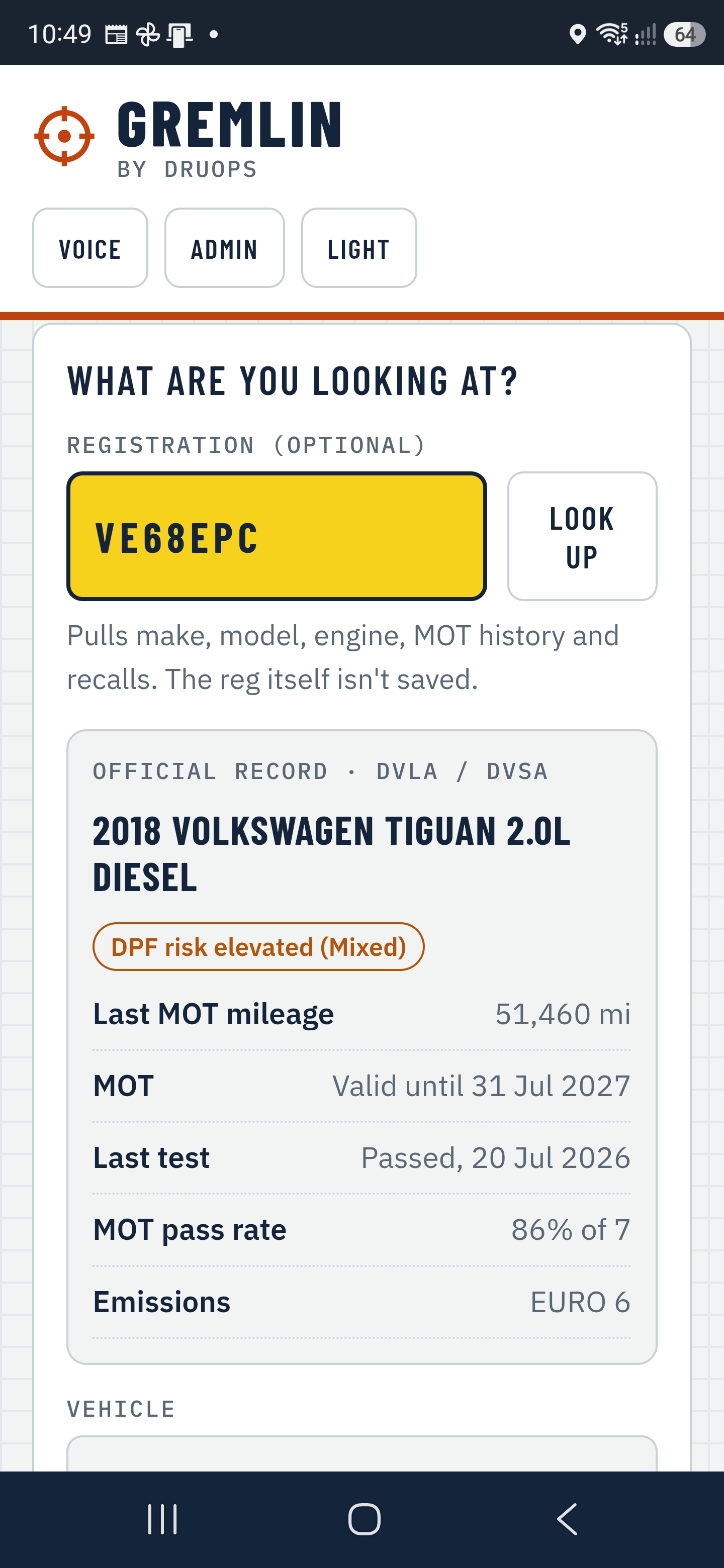
Know the car before you lift the bonnet
Type the reg and Gremlin pulls the make, model, engine, mileage, MOT history patterns, open recalls and DPF risk, then feeds it all into the diagnosis.
- UK DVLA and DVSA vehicle records
- Repeat MOT failures flagged
- The reg itself is never stored
| Coolant temp | 88 °COK |
| MAF actual | 312 mg/stLOW |
| Boost actual | 1.12 barLOW |
| DPF soot load | 41 gHIGH |
| Battery | 12.6 VOK |
Photograph any scan tool
Snap the screen of whatever you've got: Snap-on, Autel, Launch, Bosch, Delphi. Gremlin reads the codes, freeze frame and live data and flags each value OK, high or low.
- Up to four photos per job
- Mark each photo Part or Scan tool
- Photos go to the AI and aren't stored
A shortlist, not a lecture
Likely causes in order, each with a confidence level and the reasoning behind it. Safety warnings up front. Likely parts listed so you can check stock early.
- Confident / Likely / Check workshop data
- Learns from confirmed fixes on similar jobs
- Draft job card note from what you confirmed
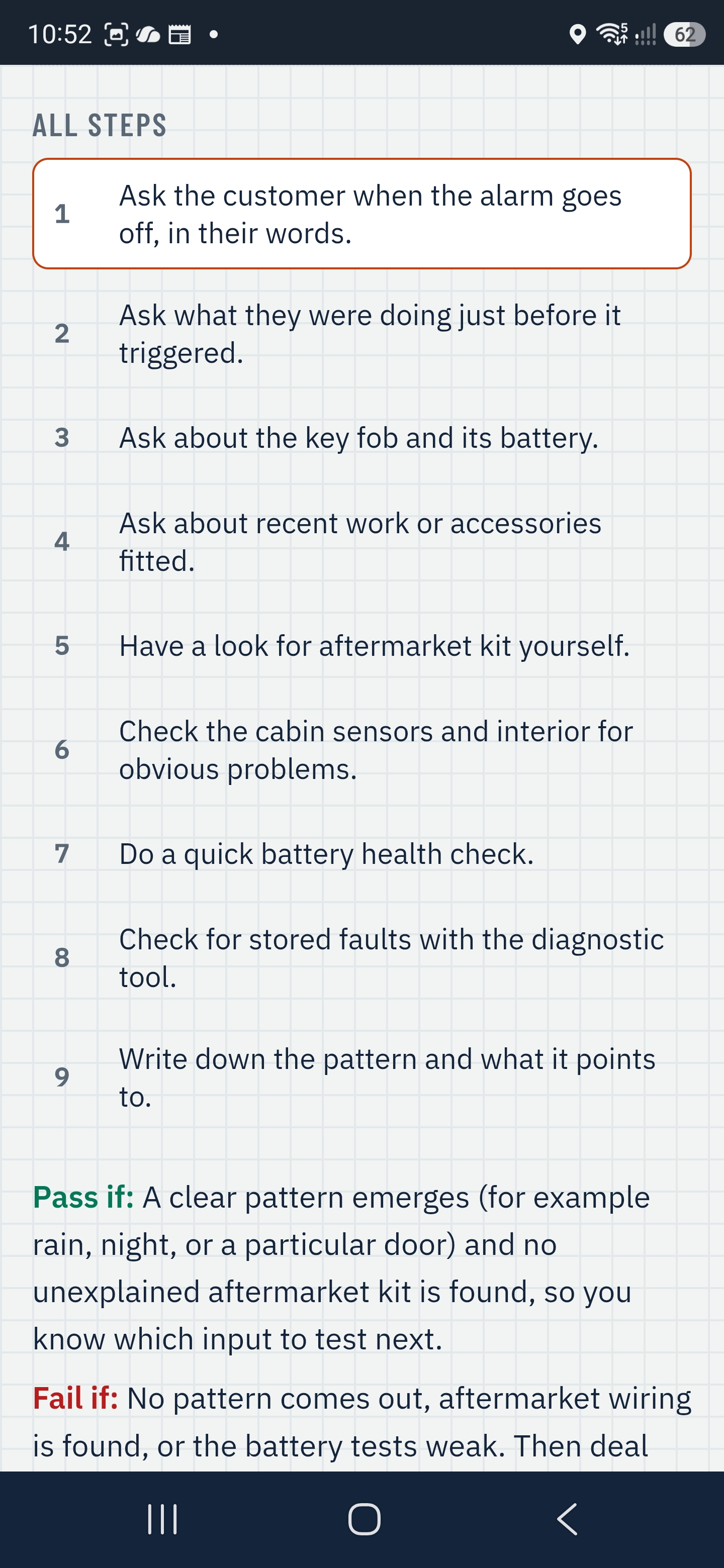
Test before you fit
Every test opens a guide: tools, time, specs, steps and clear pass/fail. Record the result, or photograph live data, and Gremlin updates the shortlist with the real values.
- Cheapest, quickest tests first
- Results feed straight into the next step
- Job card updates as you go
Features · In the bay
Built for dirty hands and noisy workshops
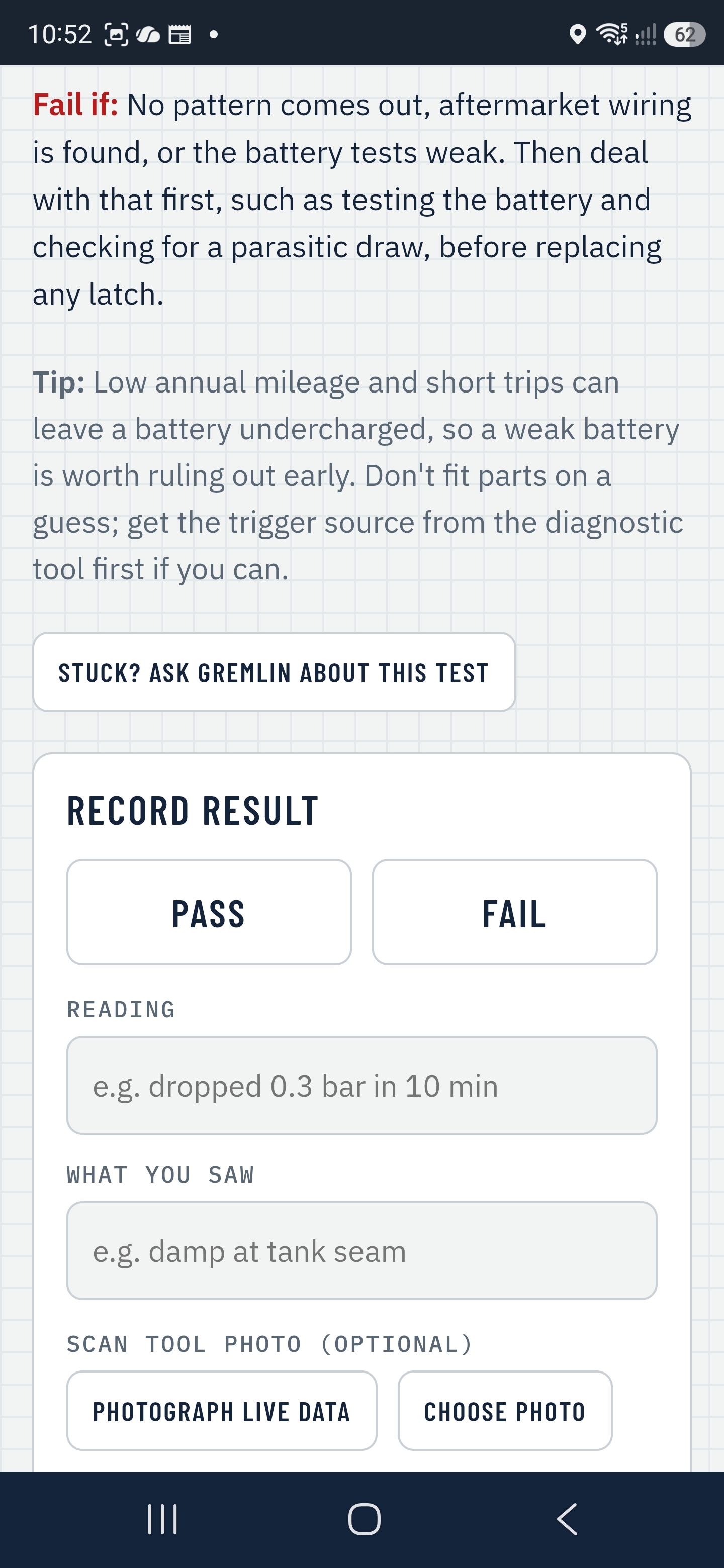
Talk to it. It talks back.
Gremlin reads each step aloud and listens for simple commands, so the phone can stay propped up on the wing cover. Big, glove-friendly buttons when you do need to tap.
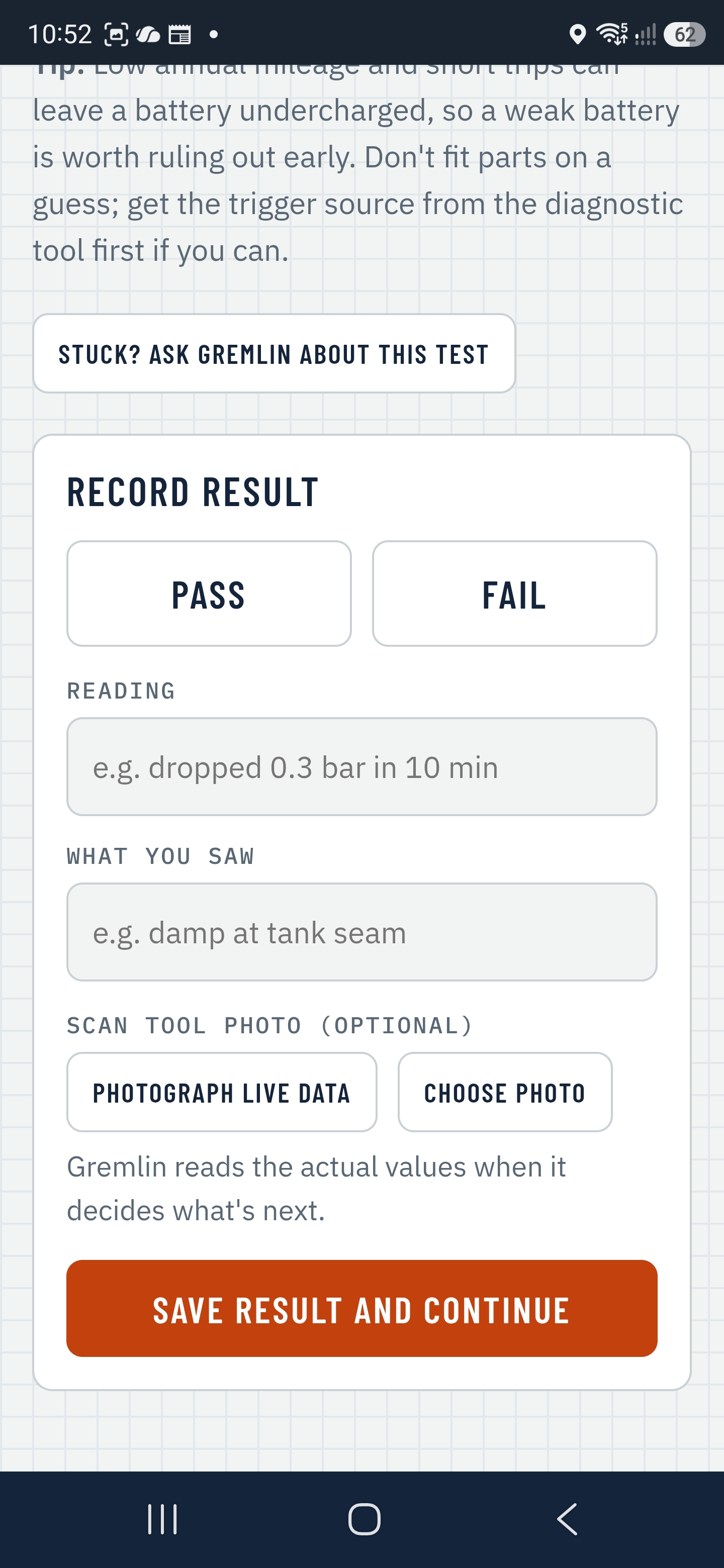
Stuck? Just ask.
Ask follow-up questions inside the job by typing, talking or sending a photo. Gremlin already knows the car, the codes and every result you've recorded, so you don't start from scratch.
- Answers marked with a confidence level
- "Stuck on this test?" from inside any guide
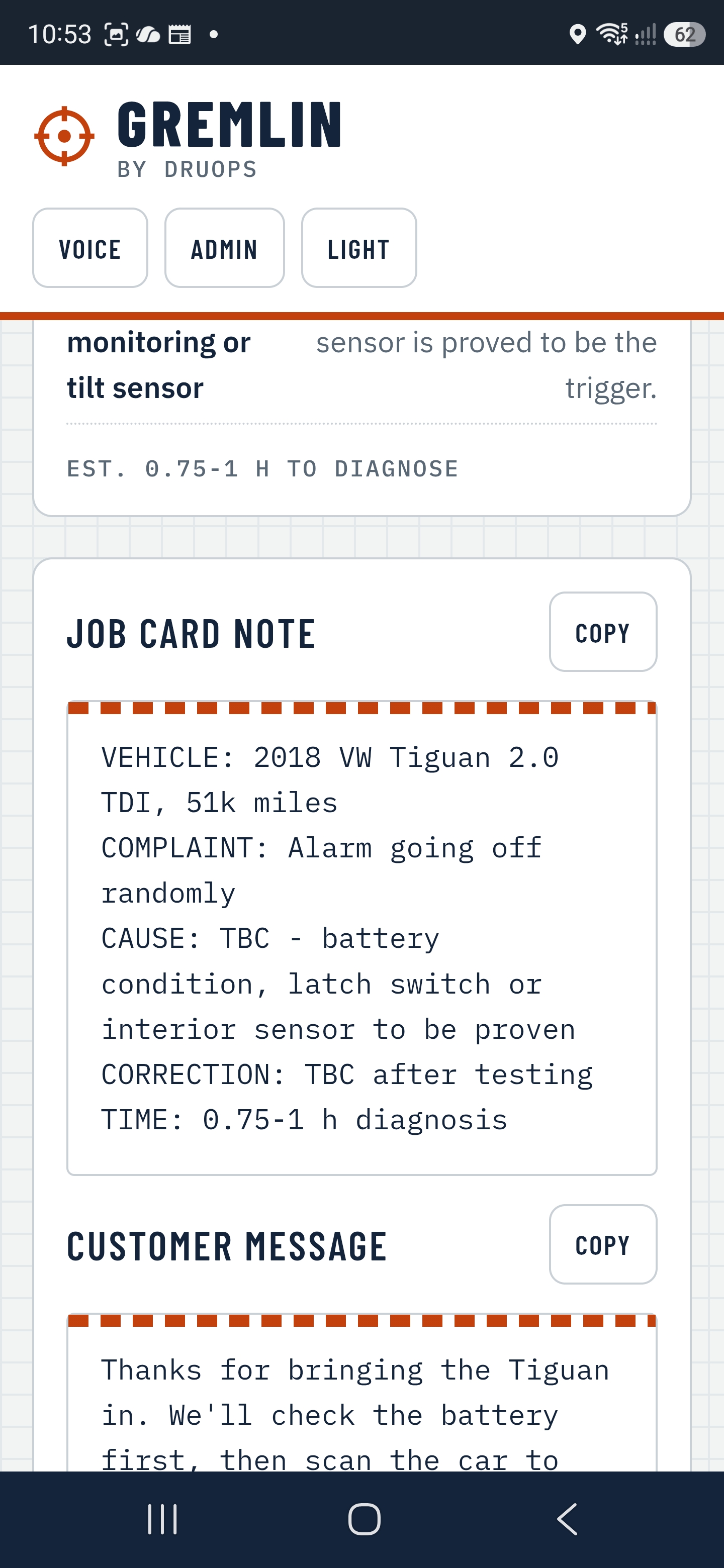
The write-up writes itself
A clean job card note of what was tested and found, plus a plain-English message for the customer, written from the findings you confirm. Copy it into your garage system and get on with the next car.
Features · Safety and learning
Safe by default. Smarter every job.
This car has a high-voltage system. Tests stay on the 12V side unless marked HV.
HV steps need IMI Level 3+. Live HV work needs Level 4.
Safety-critical steps stop at the gate
Gremlin spots electric and hybrid vehicles from the reg and the description, and flags steps on airbags and SRS, brakes, steering and fuel. Each of those guides stays locked until you confirm the warning, once per job, by tapping or saying "confirm".
- Tests kept on the 12V side by default
- HV steps marked and flagged for IMI Level 3+ (Level 4 for live work)
- Confirmations logged with name and time
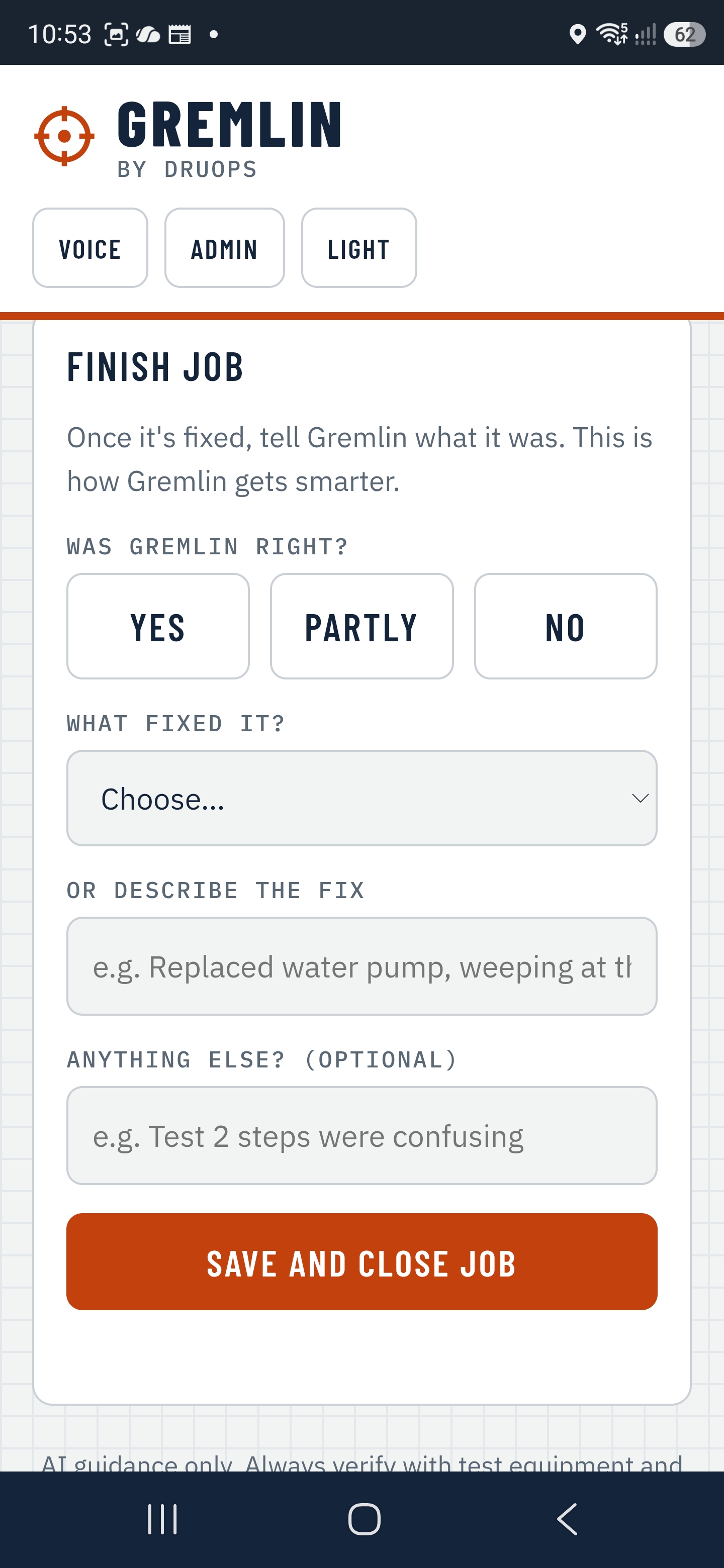
Learns what actually fixed it
At the end of every job: was Gremlin right, and what fixed it? Confirmed fixes on similar cars, with matching codes or symptoms, show up as "Seen before" on the next diagnosis.
- Shared across techs: vehicle, codes, complaint, fix
- No names, regs or photos shared
- The more it's used, the sharper it gets
Roadmap
Coming next
These are planned, not in the app yet. Every add-on will be optional: Gremlin will always work with just your phone.
Bluetooth OBD dongle
Live data straight into the job, including manufacturer-specific values like DPF soot load and battery state.
Your test kit
Scopes, thermal cameras, endoscopes and Bluetooth meters feeding readings into the diagnosis.
AI glasses
See what you see, talk you through it. Fully hands-free, no phone to prop up.
Ready to try it?
Pricing
Priced like a tool, not software
One tech, one phone, one weekly payment. No garage contract, no install, nothing for the owner to sign.
For one technician, on your own phone. Paid weekly, like the rest of your tools.
- 5-day free trial, nothing to pay if you cancel in it
- Up to 50 new diagnoses a month (fair use)
- Test guides, follow-ups and questions on those jobs don't count
- Reg lookup, scan tool reader, test guides
- Voice, Ask Gremlin, job cards
- Fix log and “Seen before”
- Cancel any time
For techs who tested Gremlin before launch. £5 a week for your first 12 months, then the standard weekly price. We email you before it changes.
- Everything in Gremlin Hunter
- Founding price for 12 months
- Your fixes help train Gremlin
Billed weekly in advance to your card through Stripe. DruOps Garage Consulting Ltd is not VAT registered, so no VAT is added. Renews every week until you cancel. You have 14 days to cancel after you subscribe; if a payment has been taken, we refund the unused part of that week. Full details in the terms.
Questions
How do I pay?
By card, billed weekly through Stripe, the same way you'd pay for tools off the van. We take your card at sign-up but charge nothing during the 5-day trial.
How do I cancel?
In the app at Account → Cancel subscription. You keep access to the end of the week you've paid for and aren't charged again. Cancel in the trial and you pay nothing.
Does my garage need to buy it?
No. Gremlin Hunter is yours, on your phone. It goes with you if you change jobs.
What if I go over 50 diagnoses?
Most techs won't. Only new diagnoses count, not the tests and questions on them. If you reach the limit the app tells you, and it resets on the 1st of the month.
Does it replace Autodata or HaynesPro?
No. Gremlin works alongside your workshop data, scan tool and wiring diagrams. It tells you when to check manufacturer data.
Does it work on iPhone?
Yes, in the browser. Android with Chrome works best, including voice control.
Is it always right?
No, and it never claims to be. It gives suggestions only. Every suggestion shows a confidence level, and you stay responsible for the diagnosis and repair.
How do I delete my account?
In the app at Account → Delete my account, or see how to delete your account.
Legal